Showing posts sorted by date for query design. Sort by relevance Show all posts

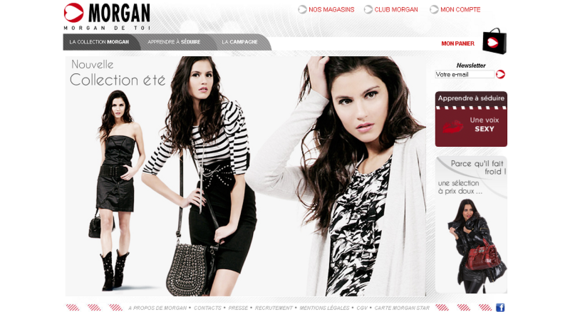
66 Famous Fashion Websites for your Inspiration

Here is a list of inspirational web designs from the fashion design industry. Most of them use Flash to create a "fashion experience" when visiting their site and some are exceptionally innovative. Although almost all of them have a minimalistic design, the individual style gets reflected succes...

Read More...

Touch The Future: Create An Elegant Website With HTML 5 And CSS3

Demo | Download

I’m sure that who chooses to work as web designer makes a choice of heart, a choice of love. He/she decides to bet any given day on his creativity and his ability of producing an idea and of making it tangible, visible and perceptible for all. These crazy men have my respect. But, also when the creative side is very important for a work, there exists a logical (and technical) part in all creative process.

There are some moments and situations in which the creative mind needs an analytical method to achieve the objective, that is, for us, the creation of a well-done website.

In his article on Design Informer titled “Web Design Iterations And Algorithm,” Adit Gupta explains how we can approach a web design work and how a website project can be processed in a number of iterations following a main algorithm. Well, generally it’s just how Adit has described.
Our brain works well, in order to solve a big problem, if we can divide the main issue in N operations that solve N little difficulties, and the total sum of these N little steps provides the solution for our big problem. Perfect, ‘Houston, we have a big problem!’ We should create a working web design. Actually the common routine requires the following main steps:

  • Step 1: understand the theme and the topics of the website and decode the client’s requests
  • Step 2: choose the right style and sketch your ideas
  • Step 3: draw a clean and clear wireframe to summarize the structure of the website
  • Step 4: design the website (in pixels) through an image editor, like Photoshop, to create a real-scale mockup
  • Step 5: convert your psd mockup to HTML and CSS

Five macro-steps to build an effective website using brain, pencil, paper, Photoshop, HTML and CSS. But technology doesn’t stop, luckily, and we have other two great allies for the future to design better website: HTML 5 and CSS3.

Read more

How To Create Depth And Nice 3D Ribbons Only Using CSS3


In this last period on PV.M Garage we have described many trends of the modern Web Designand many techniques for creating stunning and impressive web sites.
In one of our tutorials we learned how to realize a nice 3D ribbon and how to play with the drop shadow in Photoshop to simulate depth in a web design layout. This is a widespread trends in recent web design: creating a 3D perception in a website and simulating a “world” in three dimensions are two great ways for the designers to play with their skills.
Thanks to useful graphic softwares (2D) we can easily create 3D elements, like ribbons and shadows, but we can also reproduce 3D scene using perspective, focus, color shading and opacity. There is also the possibility of using 3D softwares, like Blender, to create some 3D objects and images that we can use in our designs. There is an interesting article onCreativityDen about the fundamental ways of adding depth in web design works; it explains six basic techniques to simulate the 3D perception in our works and I suggest an attentive reading.
Many beautiful web sites have a wonderful, balanced, three-dimensional perception and it’s clear that this kind of layouts use, in a clever way, images (generally in the background property), lines and some CSS techniques to create the illusion of depth (there is a brilliant post, by Henry Jones on Web Design Ledger, about the use of 1px line to simulate the depth). Some examples.

How to Turn Humdrum Photos into Cinematic Portraits


Adobe Design Premium CS5 software offers you complete creative freedom without sacrificing precision or quality, whether working in print, web, interactive, or mobile media.
There are a plethora of ways to treat a portrait for a myriad of uses, but that is for another feature. Let’s tackle adding drama or a cinematic quality to a regular, humdrum portrait. Let’s even throw in a little bit of faking HDR. That way if you work on a project that requires a stunning shot without the stunning photography, you’ll be able to cobble something together using your mad skillz!

Read More

How to Create Eroded Metal Text with Photoshop


Adobe Design Premium CS5 software offers you complete creative freedom without sacrificing precision or quality, whether working in print, web, interactive, or mobile media.
In this tutorial I’ll show you how to create an eroded metal text effect. Throughout this tutorial we’ll make use of various drawing techniques, channels, and patterns. Let’s get started!

Click Here

Wow Typography Art

Combination of alphabets makes a whole sentence if its a combination in particular manner. But alphabets are not just use for only making sentences, sometimes it can be used as art. Now just check this images below, alphabets are used to create art. So here some beautiful typography art for design inspiration.


Read More

Five Minute Upgrade – Making Your Design Pop

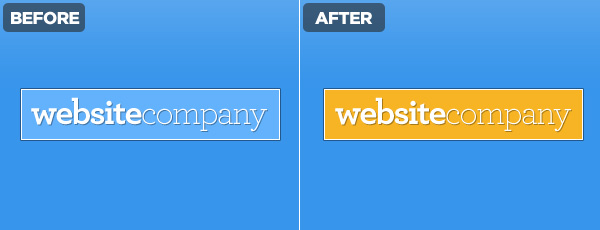
1. Brighten Colors

If you have a design that you just feel isn’t anything special – stop – crank up the color intensity – then reevaluate. Saturation plays a big role as far as mood goes. If you ever feel like you’re lacking inspiration when it comes to color schemes there are some great online tools, not to mention our own color series.

2. Use Monochromatic Themes Sparingly

Monochromatic themes are great, there are some great black and white designs and sometimes using only a single color makes designing easier. The point is to explore other colors as well without getting too hung up on one in particular. Branching out to more than one color palette means you can provide emphasis with something other than the lightness/darkness of a shade of blue.

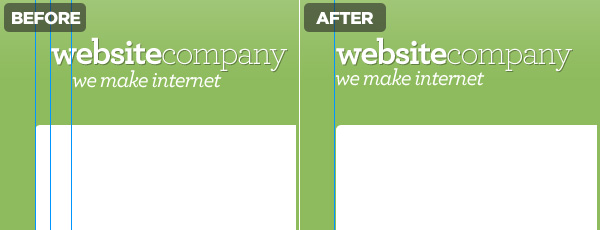
3. Layout on a Grid

Here’s the deal, align your text and things will look better, not to mention it will increase your scannability. There should be some rhyme or reason to how you have placed your text, if there isn’t you risk a clumsy look which gives the impression that little thought went into it.

4. Take the Time to Polish

This was discussed wonderfully over at PsdTuts a while back but there are a few key things to keep in mind.
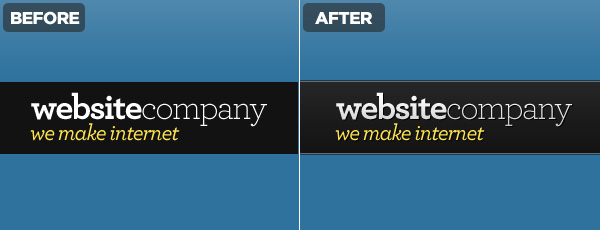
  • Don’t be afraid to use shadows sparingly, helps fight the flat and boring look.
  • 1px lines are great at clearly defining edges.
  • Using faint gradients over text and backgrounds gives a subtle 3D look.
 

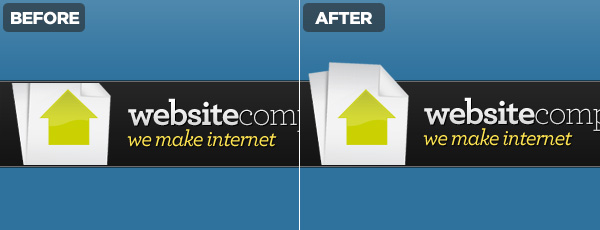
5. Defy Image Boundaries

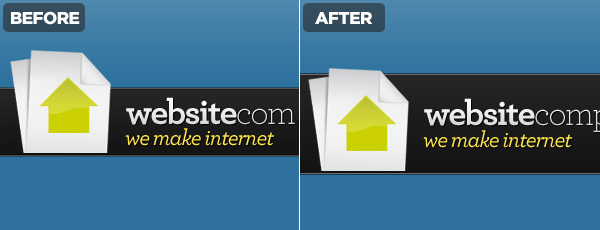
Overlap your images in ways that are out of the ordinary. Wrap around banners, pop-up images, anything that shakes the normal “color inside the lines” mentality websites are so often designed around. If you are fascinated as to how to go about doing this, check out Lee Munroe’s article on Designing Out Of The Box.

6. Add Whitespace

Give your user room to appreciate what you’ve done, it will help them focus on each element and not feel overwhelmed. Think of the padding as the frame for your work.

7. Textures

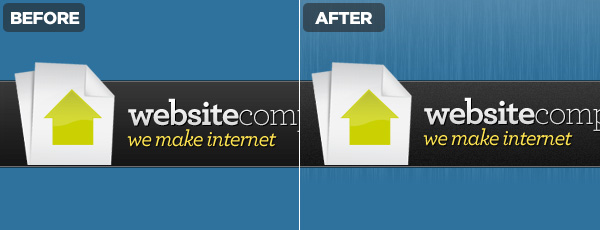
Adding noise to a background, including some rock pattern that fades into the backdrop, scribbles, whatever. Do something that makes your background a piece of artwork in its own right while complimenting the foreground.

8. Strokes

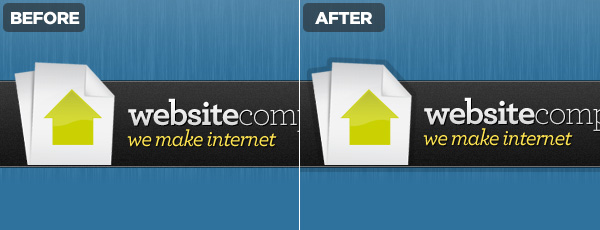
Don’t have them, use them. Strokes can be used in addition to the above effects to differentiate the foreground from the background. They can be a good substitute if you are trying to avoid gradients and maintain a more 2D look.

The Wrap Up

You’re now armed with a handful of tricks that can have an positive effect on your projects. Use your best judgment, not all of these adjustments are appropriate for every project. If you’re interested in a good example of all these steps put into play, check out Marketcircle’s website.

About the author Sam Dunn

Sam is a partner at One Mighty Roar, a creative design and interactive media company from Massachusetts, USA. He can be found online at Vivalasam and Twitter.

Content Source : http://buildinternet.com